

Description
Download My baby drum – educational app, baby music, toddler learning, interactive drum, color sound association, parent-child interaction
Overview
My baby drum is a free educational application designed for infants and toddlers aged 0 to 3 years. Developed by DOKDOAPPS, the app aims to support early childhood development through interactive music and sound exploration. It functions as a simple yet engaging tool that introduces young children to musical sounds and their visual representation through color. The primary purpose of the application is to help babies and toddlers associate specific sounds with corresponding colors, fostering sensory and cognitive development. This interactive approach encourages parent-child bonding, as the app is designed to be used collaboratively with caregivers. Real-world usage scenarios include quiet playtime at home, early stimulation sessions, and therapeutic activities for children with special needs. The app serves as a gentle introduction to rhythm, melody, and auditory discrimination in a safe and accessible format. Its simplicity makes it suitable for children with limited motor or cognitive skills, supporting inclusive early learning experiences.
Key Features & Capabilities
- Two Interactive Modes: The app offers two distinct modes to guide user experience. In the first mode, users can browse a selection of songs tailored for babies and toddlers. These tracks expose young children to diverse musical styles and sounds. In the second mode, users can layer drum sounds onto existing songs, creating personalized musical compositions.
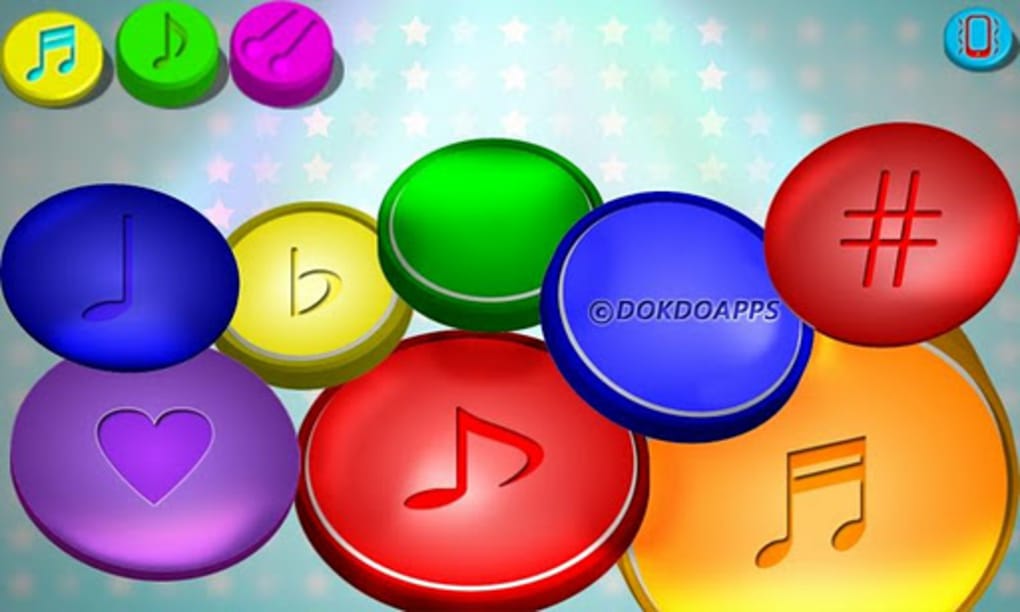
- Color-Sound Association: A core feature of the app is its ability to link specific sounds with distinct colors. As music plays, visual color changes correspond to different audio elements, helping children form connections between auditory and visual stimuli.
- Parent-Child Interaction Support: Designed with caregivers in mind, the app encourages shared experiences. Parents can select songs, add drum beats, and guide their children through sound exploration, promoting engagement and emotional connection.
- Accessibility for Special Needs: The app’s intuitive interface and sensory-rich design make it a valuable resource for children with developmental differences. The visual and auditory feedback supports non-verbal communication and sensory integration.
- Simple Interface: The user interface is intentionally minimal and easy to navigate, ensuring that even very young users can interact with the app without frustration.
User Interface, Workflow & Performance
The user interface of My baby drum is structured around simplicity and clarity. Navigation is straightforward, with clearly labeled sections for song selection and drum integration. The layout avoids clutter, focusing on large touch targets and vibrant visuals to accommodate young users. Workflow efficiency is optimized for short, focused interactions typical of early childhood engagement. Users can switch between modes with minimal steps, and audio playback responds instantly to input. The developer did not specify resource usage details, so exact performance metrics such as CPU or RAM consumption remain unknown. However, based on the app’s design and purpose, it is likely optimized for smooth operation on modern Android devices. Stability during use appears consistent, as the app is intended for short, repeated sessions. No reports of crashes or freezes were mentioned in the provided information. Overall, the app maintains a responsive feel, supporting consistent user experience across multiple uses.
Compatibility & System Requirements
My baby drum is available as a full version application for Android devices. The specific operating system version compatibility was not provided. Installation size information is also not listed. The developer did not specify exact hardware requirements or minimum device specifications. Compatibility information is limited to the platform: Android. Users should ensure their device supports the latest Android updates for optimal functionality. The developer did not provide details on whether the app supports tablets, wearables, or other form factors. For users seeking to install the app, it is recommended to verify device compatibility through the official app store. The absence of detailed system requirements means users may need to test the app directly to confirm performance on their device.
Pros and Cons
Pros
- Free to download and use, with no in-app purchases mentioned
- Designed specifically for infants and toddlers, ensuring age-appropriate content
- Encourages parent-child interaction through shared musical experiences
- Supports sensory development and early learning through color-sound pairing
- Simple interface suitable for children with special needs
- Offers dual functionality: music exposure and interactive drum layering
Cons
- No information on system requirements or device compatibility beyond Android
- Exact performance details, such as battery usage or memory consumption, were not disclosed
- Limited to Android platform; no availability on iOS or other operating systems
- Only two modes are described, which may limit long-term engagement for older toddlers
- Color-sound associations are not customizable, potentially reducing personalization options
FAQ Section
Is My baby drum available for iOS devices?
The app is currently available only for Android. No information was provided about iOS compatibility.
Is the app safe for young children?
Yes, the app is designed with safety in mind for infants and toddlers. It contains no advertisements or in-app purchases, and its interface is simple and distraction-free.
Can I use My baby drum offline?
While the provided information does not specify, many similar educational apps function offline after initial download. Users may be able to access songs and features without an internet connection.
How often does the app receive updates?
Update frequency was not mentioned. Users should check the app store for the latest version and release notes.
What type of license does My baby drum use?
The app is distributed as a free, full-version application. No licensing details were provided beyond its free status.
Final Thoughts + CTA
My baby drum stands out as a thoughtful, accessible tool for early childhood development. Its dual-mode design effectively combines music exposure with interactive play, creating a unique learning environment where sound and color merge. The app’s emphasis on parent-child interaction enhances its educational value, making it more than just a digital toy—it’s a bridge for emotional and cognitive growth. While details on performance, compatibility, and updates are limited, the app’s core functionality is clear and well-suited to its target audience. It is particularly beneficial for parents seeking safe, engaging, and developmentally appropriate content for babies and toddlers. The app’s simplicity, free access, and inclusive design make it a strong choice for early learning. For caregivers looking to introduce music and sensory experiences in a structured yet playful way, My baby drum offers a compelling solution.
Download My baby drum now
Guides & Tutorials for My baby drum
How to install My baby drum
- Click the Preview / Download button above.
- Once redirected, accept the terms and click Install.
- Wait for the My baby drum download to finish on your device.
How to use My baby drum
This software is primarily used for its core features described above. Open the app after installation to explore its capabilities.
User Reviews for My baby drum 0
No reviews found





